August 2, 2026 • 5 min read

Is Apex Legends Crossplay? Cross-Progression Explained
Quick Answer
Yes, Apex Legends is crossplay by default across PC, PlayStation, Xbox, and Switch. Console players can disable it in Gameplay settings; PC players cannot. Cross-progression is automatic, linking unlocks, currency, and stats to your EA account across every platform.
You must be 18+ to access this content. Please gamble responsibly.
Key Facts
| Platforms | PC, PlayStation, Xbox, Nintendo Switch |
| Crossplay default | Enabled for everyone, all platforms mixed |
| Console opt-out | Available in Gameplay settings for PlayStation, Xbox, Switch |
| PC opt-out | Not available, crossplay stays on permanently |
| Cross-progression | Mandatory, tied to your EA account, cannot be disabled |
| What syncs | Legend unlocks, cosmetics, currency, and stats across platforms |
Apex Legends has crossplay enabled by default across PC, PlayStation, Xbox, and Nintendo Switch, so a fresh install drops you into cross-platform matchmaking automatically. Console players can turn crossplay off in the Gameplay settings menu if they want a platform-only queue, but PC players cannot disable it, crossplay stays on permanently for PC. Cross-progression is separate from crossplay and is mandatory for everyone: your Legend unlocks, cosmetics, currency, and stats are tied to your EA account and follow you across every platform you play on. Respawn added this default-on crossplay well after Apex Legends' original 2019 launch, once the core matchmaking systems had matured enough to merge every platform's players into one pool.
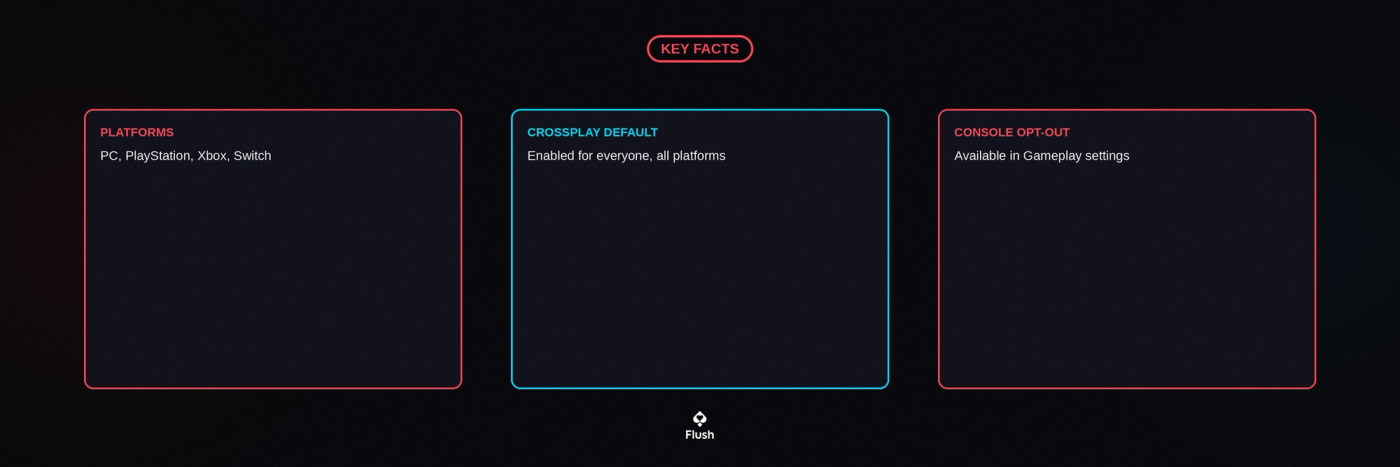
Crossplay Is On by Default
Respawn now pools PC, PlayStation, Xbox, and Switch players together by default, rather than requiring anyone to opt in. This keeps matchmaking fast across all platforms, since the combined pool is far larger than any single platform's player base on its own. You will see a platform icon next to teammates and opponents in the match, which is the easiest way to tell who is playing on what. Between matches, some players drop by Flush's crypto casino for a quicker session.
When Apex Legends Added Crossplay
Apex Legends was not cross-platform when it launched in February 2019. Respawn added crossplay nearly two years later, rolling out a beta on October 6, 2020, that let PC, PlayStation, and Xbox players match together for the first time, with Nintendo Switch folded in after its own version of the game arrived. Since then, crossplay has stayed on by default for every new account rather than requiring anyone to opt in.
When the crossplay beta first went live, Respawn warned that opting out would shrink a player's matchmaking pool down to only other opted-out players on the same platform, and that warning still holds true today. The console opt-out exists mainly for players chasing a controller-only, platform-only lobby, not as a general recommendation, and most players get noticeably faster queues by simply leaving it on.
How to Turn Off Crossplay on Console
PlayStation, Xbox, and Switch players can disable crossplay through Settings, then Gameplay, where a crossplay toggle lets you restrict matchmaking to your own platform only. PC players do not get this toggle: Respawn keeps PC crossplay locked on permanently, since PC represents a large share of the active population and splitting it out would hurt everyone's queue times, PC included. Turning crossplay off on console usually means longer waits, particularly outside peak hours. This option has existed since the original October 2020 crossplay rollout and works the same way today as it did then, aside from menu placement shifting slightly across seasons.
Cross-Progression Is Mandatory, Not Optional
Unlike crossplay, cross-progression in Apex Legends is not something you choose. Every account is automatically linked through EA, so your Legend unlocks, skins, Apex Coins, Legend Tokens, and stats all carry over the moment you sign into the same EA account on a different platform. There is no setting to keep progress siloed per platform, and no way to run two separate profiles under one EA account. Respawn added mandatory cross-progression years after crossplay itself, closing a gap where players with accounts on multiple platforms used to keep entirely separate Legend unlocks and stats until EA linked everything under one account system. Flush runs on crypto as well, so moving funds between your wallet and account follows a similarly simple logic to Apex's account linking.
What This Means for Playing With Friends
Because crossplay is on by default and cross-progression is automatic, switching platforms, borrowing a friend's console, or moving from a laptop to a desktop does not cost you anything in Apex Legends. Your battle pass progress, unlocked Legends, and cosmetics are already waiting once you log into the same EA account, and you can party up with friends on any platform without either of you changing a setting. Everything else Flush offers outside esports betting is listed at flush.com.
Betting on Apex Legends Esports
Apex Legends' competitive scene runs through the Apex Legends Global Series and other Respawn-backed events throughout the year. Fans who want to follow or bet on Apex matches alongside other battle royale and shooter titles can do so at Flush's esports sportsbook.
Responsible Gambling
If you bet on esports alongside playing, set a budget before you start and treat it as entertainment spending, not a way to recover losses. Flush's responsible gambling tools include deposit limits, session timers, and self-exclusion, all adjustable directly from your account. Free, confidential support is available around the clock from GamCare (0808 8020 133) and BeGambleAware in the UK, and the National Council on Problem Gambling (1-800-GAMBLER) in the US, or via Gambling Therapy globally.
How We Researched This
Methodology
Facts were verified through live web search on August 2, 2026, cross-referencing EA's official cross-progression announcement on ea.com against guide sites including IsCrossplay, Eneba, and Shacknews' crossplay opt-out walkthrough. The console-only crossplay opt-out and the mandatory, non-optional nature of cross-progression were confirmed as consistent across every source checked, including EA's own account FAQ. No platform-specific claims here were taken from memory without a fresh check against current 2026 settings menus.
FAQ
Frequently Asked Questions
Is Apex Legends cross-platform?
Can I turn off crossplay in Apex Legends?
Does Apex Legends have cross-progression?
Do I need to link an EA account manually?
Does turning off crossplay affect matchmaking speed?
Sources
- Cross Progression in Apex Legends - EA Official — accessedAugust 2, 2026
- Is Apex Legends Crossplay? - IsCrossplay — accessedAugust 2, 2026
- How to turn off crossplay - Apex Legends - Shacknews — accessedAugust 2, 2026

Share This Post
Share this post for your chance to win!
Related Posts
Level up your knowledge

AscendEX Shuts Down 2026: What It Means for Crypto Casinos
AscendEX ceased operations July 1, 2026, leaving withdrawals in manual review. What exchange custodial risk means for crypto casino players.
5 min read
What Is USDT ? Stablecoin Gambling Guide 2026
USDT is a stablecoin pegged to the US dollar. Here is how it works, how fast it settles, and why it's a growing choice for crypto casino deposits.
5 min read
Bitcoin Sports Betting Guide 2026: How It Works
Bitcoin sports betting means funding and cashing out sportsbook wagers with crypto instead of a card. Here is how deposits, withdrawals, and live betting work.
5 min read