August 2, 2026 • 5 min read

Is Marvel Rivals Crossplay? Cross-Progression Explained
Quick Answer
Yes, Marvel Rivals has crossplay across PC, PS5, and Xbox Series X|S in casual matches. Ranked splits PC from a combined PS5/Xbox pool. Cross-progression is live, syncing cosmetics and unlocks, though ranked stats stay separate per platform.
You must be 18+ to access this content. Please gamble responsibly.
Key Facts
| Platforms | PC, PlayStation 5, Xbox Series X|S |
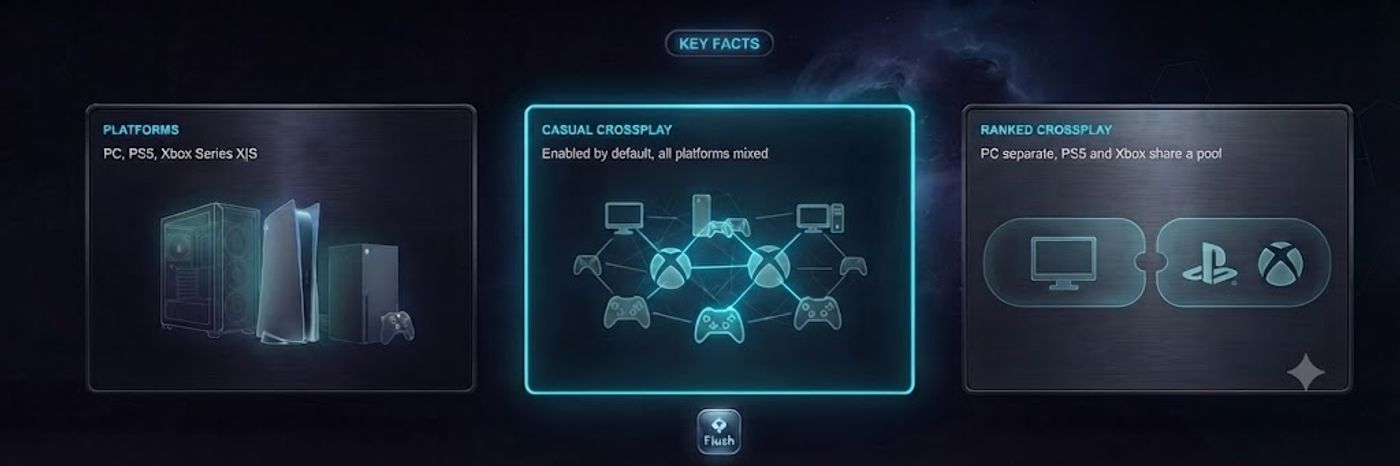
| Casual/custom crossplay | Enabled by default, all platforms mixed |
| Ranked crossplay | PC separate; PS5 and Xbox Series X|S share one pool |
| Cross-progression | Live since 2026, links cosmetics, hero unlocks, Battle Pass tier |
| Ranked data after linking | Stays separate per platform (Career per device) |
| Xbox One support | Not available, Series X|S and PS5 only |
Marvel Rivals supports crossplay across PC, PlayStation 5, and Xbox Series X|S in casual and custom matches, so friends on different platforms can queue together without any extra setup. Ranked competitive play is more restrictive: PC players are kept in their own pool, separate from PlayStation and Xbox, which share a combined console ranked queue. Cross-progression launched fully in 2026, letting players link accounts and carry cosmetics, hero unlocks, and Battle Pass tier between platforms, though ranked history still lives separately on each one. That casual crossplay pool has stayed stable since launch, unlike some competitive shooters that phased crossplay in gradually after release.
Crossplay in Quick Match and Custom Games
In Quick Match, Arcade, and custom lobbies, Marvel Rivals mixes PC, PS5, and Xbox Series X|S players by default. There is no toggle to find and no separate queue to select, the game places you into a shared pool regardless of platform. This is the mode most players use to squad up with friends who own the game on a different system, and matchmaking works the same whether you are on a mouse or a controller. That combined pool also helps keep queue times short even outside peak hours, since NetEase is drawing matches from three platforms' worth of active players instead of splitting them apart. Players taking a break from Quick Match matches can also check out Flush's crypto casino for something different between rounds.
Blocking Cross-Platform Party Invites
Marvel Rivals lets you limit who can send you cross-platform party invites through the Social settings menu, without touching matchmaking itself. Setting invites to Friends Only stops randoms on other platforms from adding you mid-match, while leaving Quick Match and Arcade crossplay untouched. This is the closest thing to a privacy control the game offers, since there is no way to opt out of playing against other platforms entirely.
Even with invites locked down, solo queue still pulls from the full cross-platform pool in every mode except ranked's separate PC and console splits. Players who want a smaller, same-platform crowd generally end up switching to ranked instead of relying on social settings, since ranked is the only mode where platform, through input method, actually narrows who you play against. Console players who do want a strictly same-platform experience outside ranked have no built-in setting for it, so party-invite restrictions remain the only lever available.
Why Ranked Separates PC From Console
Competitive ranked mode splits players by input method rather than platform. PC players, who aim with a mouse, compete only against other PC players. PlayStation 5 and Xbox Series X|S players share one combined console ranked pool, since both use a controller and neither has a mechanical edge over the other. NetEase has described this as a deliberate fairness call rather than a technical limitation, and there is no announced plan to merge the pools. Marvel Rivals launched with this split already in place on December 6, 2024, and it has stayed unchanged through every season since. The gap between mouse and controller aiming is well documented across other hero shooters, and NetEase's approach mirrors similar splits used elsewhere in the genre.
Cross-Progression: What Actually Carries Over
Cross-progression went live for everyone after a limited test during Season 4.5, and it now lets you link your PC, PlayStation, and Xbox accounts under one Marvel Rivals profile through Settings, then Other, then Account Binding. Once linked, your hero unlocks, cosmetic skins, and Battle Pass tier sync across every connected platform on a single Primary Character save. What does not carry over is your ranked history: your competitive rank, match record, and leaderboard standing are still tracked separately per platform, even after linking accounts. Flush itself runs entirely on crypto, so linking a wallet works much the same way as linking your Marvel Rivals accounts across platforms.
If you never link your accounts, that is fine as long as you stick to one platform. But if you own Marvel Rivals on both PC and console without linking, you are running two separate, un-synced profiles, and progress made on one will not show up on the other until you complete account binding. This also means Battle Pass purchases only apply to the platform you bought them on until you link accounts, so players who buy a pass on console before binding profiles will not see it appear on PC automatically.
Does Marvel Rivals Support Xbox One?
No. Marvel Rivals is only available on PC, PlayStation 5, and Xbox Series X|S, and NetEase has not released versions for Xbox One, PS4, or Nintendo Switch. The game's character-heavy team fights and destructible environments are demanding enough that NetEase built it for current-generation hardware only, and nothing in NetEase's public plans points to an older-console release. If you only have an Xbox One, upgrading to a Series S or Series X is the only practical fix. Marvel Rivals' minimum PC specs also assume a relatively modern GPU, so even PC players are not immune from hardware being the deciding factor in whether the game runs well, not just which console generation they own. You can see everything else Flush has to offer beyond esports betting at flush.com.
Betting on Marvel Rivals Esports
As Marvel Rivals' competitive scene grows through NetEase-run championship events, interest in betting markets around it is growing too. Fans who want to follow or bet on Marvel Rivals matches alongside other team shooters can do so at Flush's esports sportsbook.
Responsible Gambling
If you bet on esports alongside playing, set a budget before you start and treat it as entertainment spending, not a way to recover losses. Flush's responsible gambling tools include deposit limits, session timers, and self-exclusion, all adjustable directly from your account. Free, confidential support is available around the clock from GamCare (0808 8020 133) and BeGambleAware in the UK, and the National Council on Problem Gambling (1-800-GAMBLER) in the US, or via Gambling Therapy globally.
How We Researched This
Methodology
Facts were verified through live web search on August 2, 2026, cross-referencing Marvel Rivals' official cross-progression announcement on marvelrivals.com against esports guides including Esports Insider, IsCrossplay, and TalkEsport. Crossplay and ranked-pool behavior are platform-level settings confirmed through NetEase's own patch notes and account-binding documentation, not something that varies session to session. Cross-progression rollout timing, full launch following a Season 4.5 test, is consistent across every source checked. Xbox One support was confirmed absent via NetEase's stated platform list, PC, PlayStation 5, and Xbox Series X|S only, with no announced plans otherwise.
FAQ
Frequently Asked Questions
Does Marvel Rivals support crossplay?
Can PC and console players queue together in ranked?
Does Marvel Rivals have cross-progression?
Can I play Marvel Rivals on Xbox One?
Can I turn off crossplay in Marvel Rivals?
Sources
- Account Cross-Progression Q&A - Marvel Rivals — accessedAugust 2, 2026
- Is Marvel Rivals crossplay? All about platforms & cross-progression - Esports Insider — accessedAugust 2, 2026
- Is Marvel Rivals on Xbox One? - TalkEsport — accessedAugust 2, 2026

Share This Post
Share this post for your chance to win!
Related Posts
Level up your knowledge
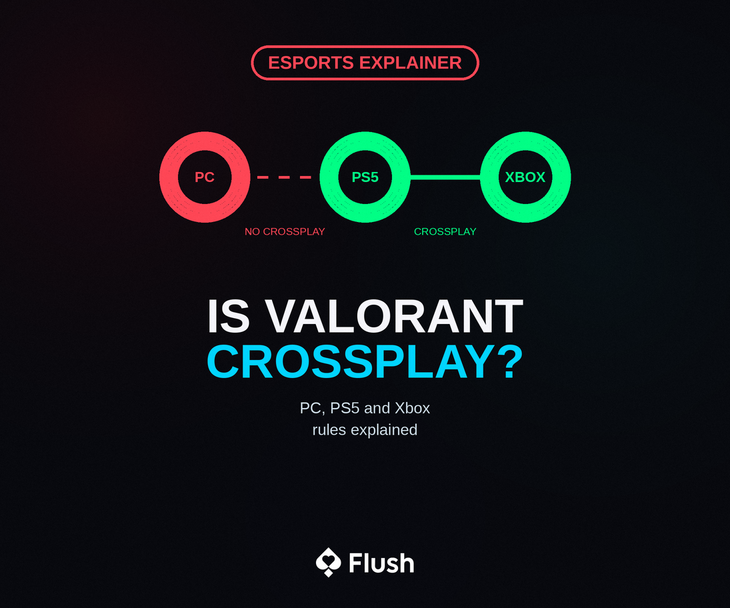
Is Valorant Crossplay? PC, PS5, and Xbox Explained 2026
Valorant has no crossplay between PC and console, but PlayStation 5 and Xbox Series X|S players share the same lobbies. Here is how it works in 2026.
5 min read
What Is TRON (TRX)? Complete Crypto Guide 2026
TRON (TRX) explained: how it works, transaction speed, fees, and how TRC-20 USDT settles over it. Includes how to deposit TRX at a crypto casino.
5 min read
Crown of the Undying Slot Review & Free Demo 2026
Crown of the Undying by Hacksaw Gaming: 96.26% RTP, medium volatility, 10,000x max win, and a 6x5 cluster grid with Undead transformations.
5 min read